

TLDR
- NetSuite’s native reconciliation handles simple one-to-one bank matching but breaks down with high transaction volumes, multi-entity books, and intercompany eliminations.
- The tools below add automated matching rules, preparer-reviewer workflows, and timestamped audit trails that NetSuite’s core module does not provide.
- Connector depth matters more than feature lists: a tool that writes back to NetSuite in real time saves reconciliation work; one that only reads creates a second source of truth.
- FloQast and Numeric are the fastest to deploy for mid-market teams; BlackLine and ReconArt are better suited to complex, high-volume, or multi-entity environments.
- None of the vendors on this list publicly disclose pricing. Budget for an annual contract and expect demos before you see a number.
The eight tools below are the strongest options for NetSuite close automation, covering bank reconciliation, balance sheet reconciliation, flux analysis, and month-end workflow management. FloQast and Numeric are best for teams under 300 employees moving fast; BlackLine fits enterprise-scale complexity; Zone & Co and Ledge are the tightest NetSuite-native integrations; ReconArt handles high-volume payment matching; Numeric leads on AI-assisted flux commentary; and Numeric or FloQast are the fastest to implement without an SI.
Why Does NetSuite’s Built-In Reconciliation Fall Short for Month-End Close?
NetSuite’s bank reconciliation module does what it says: it matches bank statement lines against NetSuite transactions. For a company with one bank account, low transaction volume, and a single entity, that is enough. Add a second entity, a payment processor feed, or a credit card program and the cracks appear immediately.
The core gaps are structural. NetSuite has no native preparer-reviewer sign-off workflow, no automatic flux commentary generation, no cross-entity intercompany matching, and no way to attach supporting documentation to a reconciled line item with a proper audit trail. Auditors increasingly expect all three. A finance team that wants a clean SOX or investor-grade close has to build these controls manually in spreadsheets, which is exactly the problem these tools exist to solve.
There is also the matching logic ceiling. NetSuite matches on exact amounts by default. Real transaction data is messy: bank fees get split, refunds hit a day late, Stripe settlements aggregate multiple orders into one payout. Any of those patterns require configurable matching rules that NetSuite does not offer natively. That mismatch is where third-party close tools earn their contract value.
What Should You Evaluate Before Choosing a NetSuite Close Automation Tool?
Before diving into the list, a buying framework worth applying: the FintechSpecs NetSuite Connector Depth Test. It has four checks.
Write-back vs. read-only: Does the tool push journal entries, reconciliation status, or attachments back into NetSuite, or does it only pull data? Read-only tools create a secondary system of record and complicate audits.
Matching rule configurability: Can you define tolerance thresholds, date offset windows, and many-to-one or one-to-many matches? Simple tools handle exact matches; complex tools handle real payment data.
Workflow granularity: Does the tool support preparer, reviewer, and approver roles with timestamps? Can you lock a period after sign-off? These are the controls auditors actually test.
Time to first reconciliation: Some tools require a multi-week implementation with a solutions partner. Others connect to NetSuite via OAuth in an afternoon. Your close deadline does not wait for a scoping call.
The 8 Best NetSuite Close Automation Tools
1. Numeric
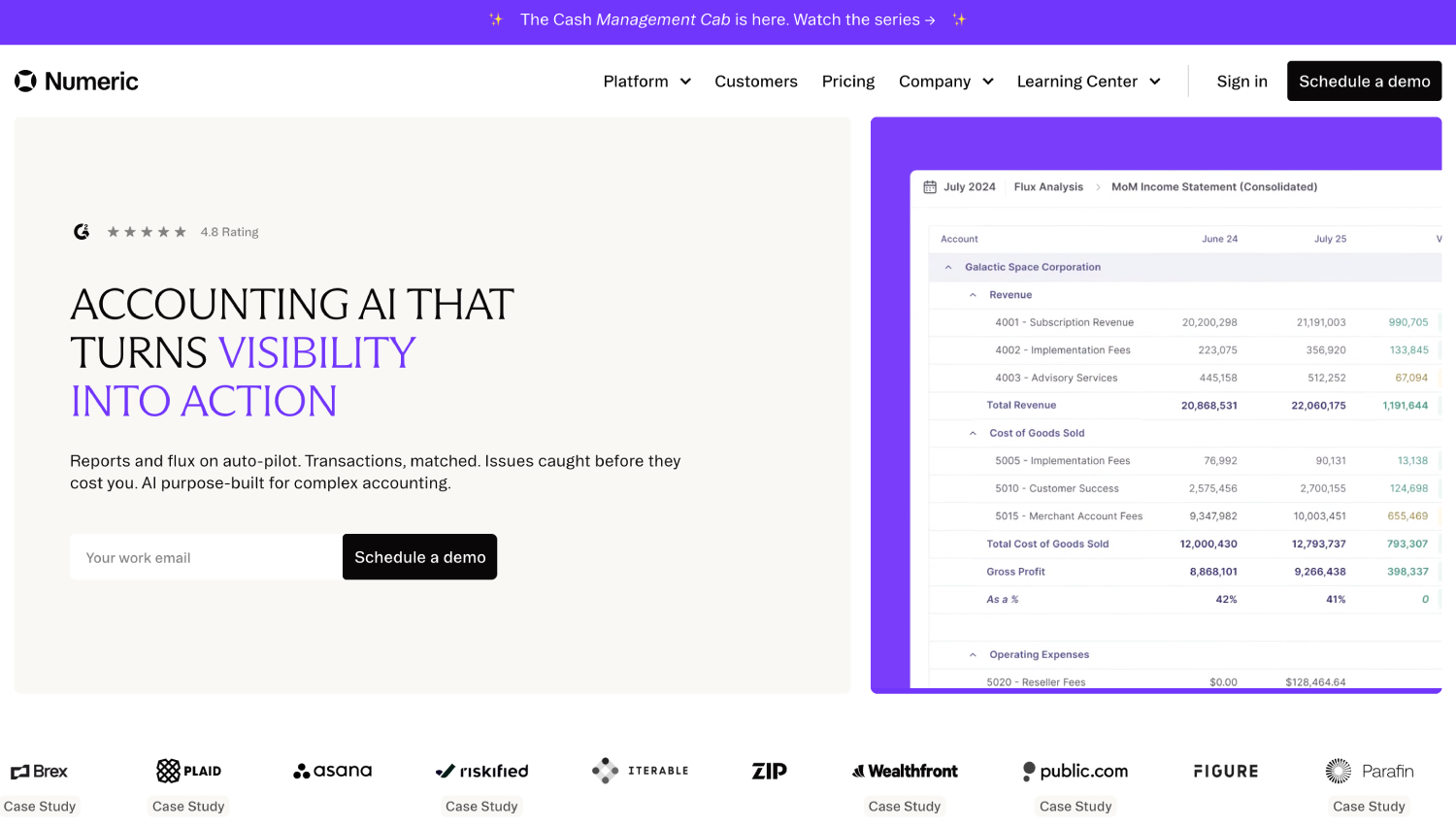
Numeric is purpose-built for mid-market accounting teams and has become one of the faster-growing close management platforms for NetSuite shops. Its standout feature is AI-generated flux commentary: the tool compares current-period balances against prior periods and draft-writes variance explanations that preparers edit rather than write from scratch. For finance teams spending two or three hours every close writing balance sheet commentary, that shift is material.
Numeric connects to NetSuite via a native integration and supports preparer-reviewer-approver workflows with period locking. It also handles task management for the full close checklist, so close managers can see which reconciliations are open, blocked, or overdue in a single dashboard. Pricing is not publicly listed; the company prices by seat and entity count.
Best for: Series B and C finance teams with 2-5 accountants who want fast deployment and AI-assisted commentary without an enterprise implementation project.
2. FloQast

FloQast is the market reference point for mid-market close management. It sits on top of NetSuite and pulls trial balance data to auto-certify reconciliations when the balance ties to zero, surfacing exceptions for manual review. The workflow layer is mature: you can assign tasks to preparers, set due dates, add review notes, and lock periods. Auditors receive a clean export of who signed off on what and when.
FloQast also offers a flux analysis module and an operator-facing analytics dashboard showing average days-to-close trend over time. Its NetSuite connector is a genuine two-way integration, writing reconciliation status back into NetSuite records. Implementation typically runs two to six weeks depending on entity count. Pricing is not publicly disclosed. Our comparison of BlackLine vs. FloQast for financial close platform selection covers the trade-offs between these two platforms in depth.
Best for: Controller-led teams at companies with $20M to $500M in revenue that want a proven platform with a fast implementation track record.
3. BlackLine

BlackLine is the enterprise standard for account reconciliation and financial close management. Its NetSuite connector supports automated journal entry posting, intercompany matching across dozens of entities, and transaction matching at high volume. BlackLine’s matching engine can process millions of transactions per period, which is why it dominates at companies with complex revenue streams, multiple legal entities, or audit requirements that go beyond standard review.
The trade-off is implementation complexity. BlackLine typically requires an implementation partner and a multi-month project. It is not a tool a four-person finance team stands up in a week. The platform is also priced for enterprise budgets; contracts are negotiated rather than listed. If your close automation need is genuinely enterprise-scale, BlackLine earns its cost. If you are a Series B company with two accountants, the overhead will outweigh the benefit. More on BlackLine alternatives for enterprise reconciliation is available if the implementation scope is a concern.
Best for: Public companies, PE-backed roll-ups, and multi-entity organizations with complex intercompany eliminations and SOX compliance requirements.
4. Zone & Co (Zone Reconcile)
Zone & Co builds products that live natively inside the NetSuite interface as SuiteApps. Zone Reconcile, their bank and account reconciliation module, runs directly within NetSuite rather than connecting to it from outside. That architecture matters: there is no data sync lag, no secondary login, and no separate system of record. Reconciliations, supporting attachments, and sign-off status all exist inside NetSuite records.
Zone Reconcile supports configurable matching rules, manual match overrides, and a preparer-reviewer workflow. Because it is a SuiteApp, it is available through the NetSuite marketplace and can be licensed directly through your NetSuite account. Pricing is not publicly listed and is typically quoted through Zone & Co or a NetSuite partner.
Best for: Finance teams that want zero integration overhead and prefer to stay entirely within the NetSuite UI. Particularly strong for NetSuite-centric organizations that have already standardized on other Zone & Co modules.
5. Ledge

Ledge focuses on automated payment reconciliation and cash application, with a NetSuite integration that handles many-to-one and one-to-many matching across bank feeds, payment processors, and ERP transactions. The platform is built for companies with high payment volume: marketplaces, SaaS companies with daily Stripe settlements, or businesses processing through multiple gateways simultaneously.
Ledge’s matching engine applies configurable rules and flags exceptions for manual resolution rather than requiring a human to review every transaction. The NetSuite integration writes matched and unmatched status back to records and can post journal entries. Pricing is not publicly disclosed. If your close bottleneck is specifically payment reconciliation rather than general account close management, Ledge is one of the more purpose-fit options. For teams also evaluating standalone reconciliation tools, the best payment reconciliation software for fintech finance teams covers a broader comparison set.
Best for: High-volume payment operators, SaaS companies with complex Stripe or multi-gateway reconciliation needs, and marketplace finance teams.
6. ReconArt
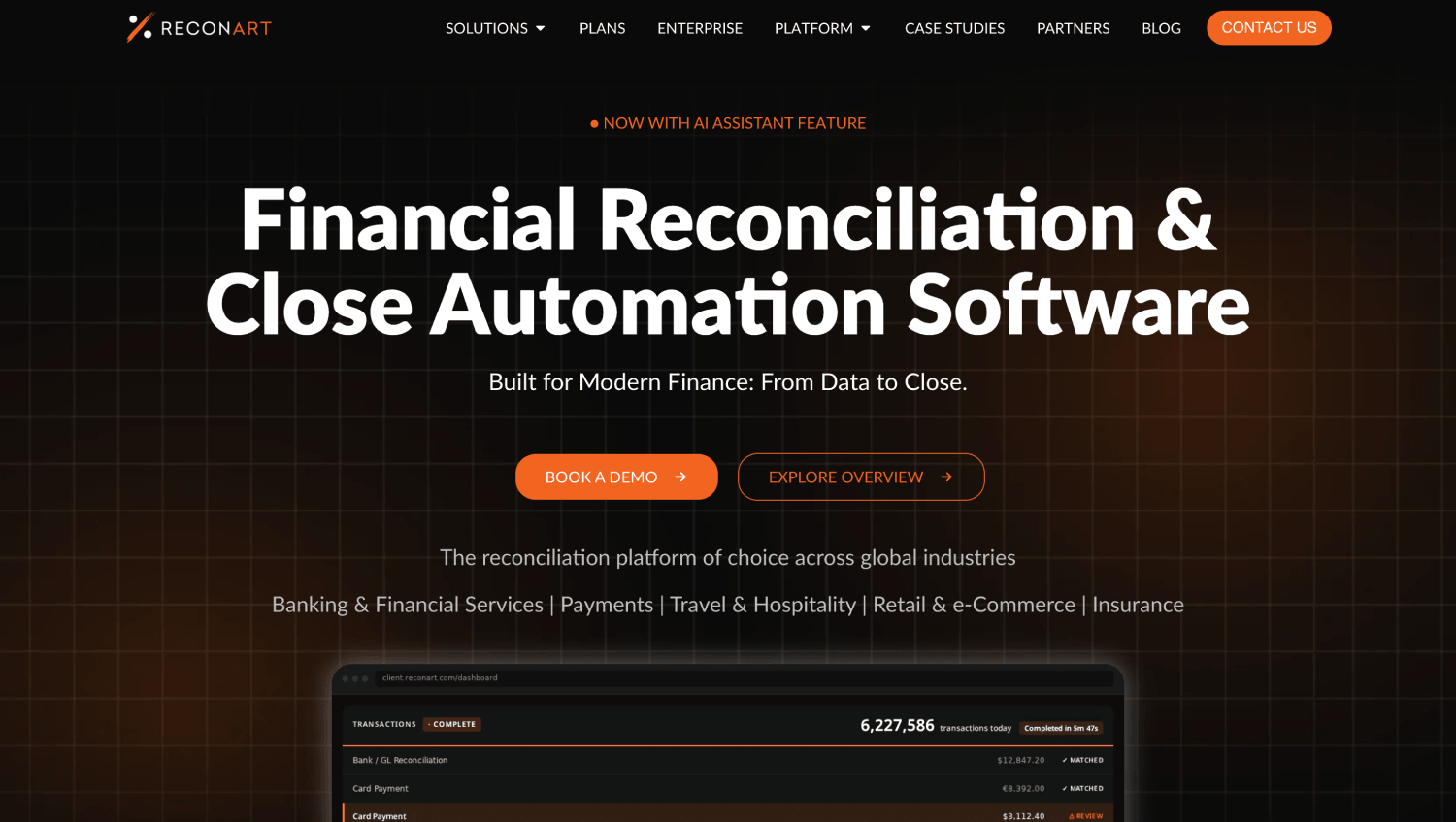
ReconArt is a dedicated reconciliation platform with broad data source connectivity and configurable matching logic that handles bank reconciliation, intercompany, balance sheet, and transaction-level matching. Its NetSuite integration pulls general ledger data and writes reconciliation results back. The platform supports complex matching scenarios including partial matches, tolerance rules, and multi-currency positions.
ReconArt’s strength is configurability. Finance operations teams can build matching rules without developer help, which matters when payment data from different sources has slightly different formats. Implementation requires setup time but less than an enterprise platform like BlackLine. A detailed breakdown of ReconArt vs. AutoRek for payment operations reconciliation shows where ReconArt has an edge in rule flexibility.
Best for: Mid-to-large finance teams with complex reconciliation logic across multiple data sources who need more matching configurability than FloQast or Numeric provides.
7. Workiva (for Reporting-Layer Close)
Workiva sits at the reporting end of the close, connecting financial data from NetSuite into controlled, audit-ready documents. It is not a reconciliation tool in the transaction-matching sense. Its value is in the disclosure and reporting layer: linking live NetSuite data into board packages, audit committee reports, and SEC filings so that a number changed in the ERP updates automatically in the final document.
For teams that have reconciliation handled but struggle with the last mile of financial reporting, Workiva fills the gap. For teams where matching is the bottleneck, Workiva is not the right starting point. A broader look at HighRadius vs. Workiva vs. Numeric for financial close automation shows where each platform’s value is concentrated.
Best for: Companies with audit or regulatory reporting requirements where traceability from the GL to the final published document is the primary control.
Numeric (AI Close) vs. FloQast: A Worked Scenario
Consider a Series B SaaS company with $18M ARR, two accountants, and a NetSuite instance connected to Stripe, a corporate card program, and two bank accounts. Their month-end close takes approximately nine days. The bottleneck is not transaction volume; it is the time spent writing flux commentary and chasing down preparer confirmations over Slack.
In this scenario, Numeric’s AI commentary generation cuts the flux write-up from roughly three hours to approximately 30 minutes of editing. FloQast’s auto-certification feature removes the manual step of confirming zero-balance recs. Either tool would compress close to five or six days. The difference: Numeric requires less implementation time and has a stronger AI commentary layer; FloQast has a more mature workflow engine and broader adoption among NetSuite controllers who want a reference-check with peers. Both pass the connector depth test with write-back to NetSuite.
NetSuite Close Automation Tool Comparison Table
| Tool | Primary Use Case | NetSuite Connector Type | Best Fit | Implementation Speed | Public Pricing |
|---|---|---|---|---|---|
| Numeric | Close management + AI flux commentary | Native two-way integration | Series B-C, 2-5 accountants | 1-3 weeks | Not listed |
| FloQast | Close management + auto-certification | Native two-way integration | $20M-$500M revenue companies | 2-6 weeks | Not listed |
| BlackLine | Enterprise reconciliation + intercompany | Native two-way integration | Public co., PE roll-ups, SOX | 3-6 months | Not listed |
| Zone & Co | Bank rec inside NetSuite UI | Native SuiteApp (in-platform) | NetSuite-centric teams | 1-4 weeks | Not listed |
| Ledge | Payment reconciliation + cash application | Native two-way integration | High-volume payment operators | 2-4 weeks | Not listed |
| ReconArt | Configurable multi-source reconciliation | Native two-way integration | Complex matching logic needs | 4-8 weeks | Not listed |
| Workiva | Financial reporting + disclosure layer | Data connector (read-heavy) | Audit/regulatory reporting | 4-10 weeks | Not listed |
| BlackLine Intercompany Hub | Intercompany matching + eliminations | Native two-way integration | Multi-entity, global consolidation | 3-6 months | Not listed |
How Does NetSuite Bank Reconciliation Automation Actually Work?
NetSuite bank reconciliation automation requires three moving pieces: a bank data feed into NetSuite, a matching engine that compares bank lines to NetSuite transactions, and a workflow that tracks exception resolution and sign-off. NetSuite provides the feed (via its bank feeds SuiteApp or manual import) and basic one-to-one matching. Third-party tools replace the matching engine and add the workflow layer.
The matching logic is where real gains appear. A configurable matching engine lets you define rules like: match bank deposits to NetSuite payments within a two-day window and a $0.50 tolerance, grouping multiple Stripe transactions into a single settlement batch. Without those rules, every Stripe payout becomes a manual exception. With them, the auto-match rate on a typical SaaS company’s bank account runs well above 90%, leaving preparers to resolve only genuine outliers.
The audit trail piece is equally important and often underestimated. NetSuite’s native module does not timestamp who matched what, who approved it, or when the period was locked. If an auditor asks how a specific $47,000 transaction was reconciled and who approved it, the answer needs to come from the system, not from someone’s email history. Every tool on this list provides that trail. NetSuite’s native module, by itself, does not.
What Is the Real Cost of Manual Month-End Close in NetSuite?
The cost of a slow NetSuite month-end close is not just accountant hours. Delayed close dates push investor reporting, delay intercompany eliminations in consolidated financials, and compress the window for catching errors before books are locked. A finance team closing on day 10 instead of day 5 loses five days of usable reporting every month, which compounds over time.
The labor math is straightforward. Illustrative scenario: a controller and two senior accountants spend a combined 120 hours on close each month. If automation cuts that to 70 hours, 50 hours are freed for actual analysis work. At a fully loaded cost of $100 per hour for senior finance talent, that is $5,000 per month, or $60,000 annually, before accounting for the reduced error rate and cleaner audit. That number is not a guarantee; it is a framework for building your own business case before you enter a vendor negotiation.
Finance teams evaluating the broader category alongside close tools should also look at the financial close software and month-end automation tools overview for context on where NetSuite-specific tools fit in the broader market.
Which NetSuite Close Tool Has the Deepest Native Connector?
By connector architecture, Zone & Co runs the deepest: it is a SuiteApp, meaning it executes inside NetSuite’s infrastructure rather than connecting from outside. There is no API call latency, no data synchronization schedule, and no separate login. Everything lives in the same database NetSuite uses. If staying entirely within NetSuite matters for your IT or security posture, Zone & Co is the only tool on this list that achieves that.
Among tools that connect externally, FloQast and Numeric both offer genuine two-way integrations that write reconciliation status, sign-off timestamps, and period lock status back to NetSuite records. BlackLine does the same at enterprise scale. Workiva leans more heavily on reading NetSuite data for reporting purposes than writing back to it.
Ledge and ReconArt both write back matched and unmatched status and can post journal entries, but their primary strength is matching logic rather than close workflow management. Choosing between them depends on whether your bottleneck is matching accuracy or workflow control.
Frequently Asked Questions
Does NetSuite have built-in close automation?
NetSuite includes a bank reconciliation module and period close checklists, but these are manual processes. The bank rec module matches transactions individually without configurable tolerance rules or many-to-one logic. There is no native preparer-reviewer workflow with timestamped sign-offs, no automated flux commentary, and no audit trail at the reconciliation item level. Third-party tools are required to achieve a controlled, auditable close.
What is the difference between NetSuite bank reconciliation and account reconciliation?
Bank reconciliation matches NetSuite’s cash transactions against external bank statements. Account reconciliation is broader: it covers any balance sheet account, including prepaid expenses, accruals, deferred revenue, and intercompany balances. NetSuite handles basic bank rec natively. Account reconciliation across the full balance sheet requires either manual spreadsheet work or a third-party tool like FloQast, Numeric, or BlackLine that can certify balances across all account types.
How long does it take to implement a NetSuite close automation tool?
Implementation time ranges from one week for a SuiteApp like Zone & Co to six months for BlackLine at a complex multi-entity organization. FloQast and Numeric typically run two to six weeks depending on entity count and how many balance sheet accounts need reconciliation templates built. Ledge and ReconArt require additional setup time for matching rule configuration. Most mid-market teams should budget four to six weeks from contract to first live close.
Can these tools handle multi-entity NetSuite reconciliation?
BlackLine, FloQast, and ReconArt all support multi-entity NetSuite environments with intercompany matching. BlackLine’s Intercompany Hub is the most purpose-built option for complex elimination workflows. Numeric and Zone & Co support multi-entity close management but are stronger on workflow than on automated intercompany elimination. Ledge handles multi-entity payment reconciliation but is not designed primarily for intercompany matching.
Do NetSuite close tools create a separate system of record?
Tools that write back to NetSuite, including FloQast, Numeric, BlackLine, Zone & Co, Ledge, and ReconArt, update NetSuite records with reconciliation status, attachments, and sign-off data. Auditors can pull that information from NetSuite directly. Workiva leans toward reading NetSuite data for reporting, so the reconciliation record stays in Workiva rather than NetSuite. For audit purposes, write-back architecture is preferable.
Is BlackLine worth the cost for a mid-market NetSuite company?
For most mid-market companies under $200M in revenue with fewer than 10 legal entities, BlackLine is likely over-engineered. The implementation cost, contract structure, and change management overhead are calibrated for enterprise finance teams with dedicated close operations managers. FloQast or Numeric will deliver the same audit trail and automation at significantly lower implementation cost and faster time-to-value. BlackLine earns its cost specifically when SOX compliance, intercompany complexity, or transaction volume at scale is genuinely in play.
How do these tools handle Stripe or payment processor reconciliation in NetSuite?
Stripe settlements aggregate multiple transactions into a single payout, which NetSuite’s native bank rec cannot automatically split. Ledge is specifically designed for this problem and handles Stripe, Braintree, Adyen, and other gateway payouts with configurable aggregation rules. FloQast and Numeric handle the workflow layer but are less purpose-built for raw payment matching. ReconArt can handle it with rule configuration. Most finance teams processing more than 1,000 Stripe transactions per month benefit from a dedicated matching layer before the data reaches NetSuite.
The Last Thing Most Finance Teams Get Wrong About NetSuite Close Automation
Most evaluation processes focus on feature lists and pricing. The question that actually determines ROI is: what happens to data after it is matched? A tool that shows you a matched reconciliation inside its own dashboard but does not write that status back to NetSuite has added a step to your audit, not removed one. Your auditor will still need to trace the transaction from the bank statement to the NetSuite GL to the reconciliation record. If that chain lives in two systems, you have built a bridge that requires maintenance.
The teams that get the most out of NetSuite close automation treat connector depth as a prerequisite, not a feature. They buy the tool that writes back first and evaluate everything else second. Matching accuracy and workflow design matter, but they are solvable with configuration. A read-only architecture is a structural limitation that no amount of configuration fixes.
The broader point is that close automation is an operations bet, not a software purchase. The tool that closes your books in five days instead of ten is not magic; it is a forcing function that makes your accounting team’s tacit knowledge explicit, auditable, and repeatable. That shift matters far beyond the time savings on any single month-end close.





9 Best AI Month-End Close Tools for Accounting Teams