
TLDR
- Stripe Billing works well when your billing logic is simple and your team already lives in Stripe. Adding complexity later costs more than switching early.
- Chargebee handles sales-led contracts, custom pricing schedules, and multi-gateway routing in ways that Stripe Billing does not support without heavy custom engineering.
- According to Stripe’s public pricing page, Stripe Billing charges 0.7% of Billing volume as a single rate. At scale, that compounds quickly. Chargebee charges a flat monthly fee, which often gets cheaper past a certain MRR threshold.
- The decisive variable is not company size. It is billing motion: product-led, self-serve SaaS typically stays with Stripe Billing; sales-led teams with negotiated contracts and quote-to-cash workflows typically outgrow it.
- A Chargebee-Stripe integration exists and is commonly used. Running Chargebee on top of Stripe payments is a real deployment pattern, not a workaround.
For most B2B SaaS companies already on Stripe, Stripe Billing is enough through early product-led growth. Chargebee becomes the stronger choice when billing involves negotiated contracts, sales-assisted deals, multiple payment gateways, or revenue recognition requirements that Stripe Billing does not handle natively. The two are not always competitors; many teams run Chargebee as the billing layer on top of Stripe as the payment processor.
Why “We Already Use Stripe” Is Not a Billing Strategy
Most B2B SaaS founders default to Stripe Billing because Stripe is already processing their payments. That logic is understandable but incomplete. Stripe Billing and Stripe Payments are separate products with separate pricing, separate capabilities, and separate failure modes. Choosing one does not obligate you to the other.
The real question is what your billing layer needs to do. If your pricing is a flat monthly fee charged automatically to a card on file, Stripe Billing handles that without friction. If your sales team is closing annual contracts with custom payment terms, seat-based pricing negotiated in a Google Doc, or multi-year ramp schedules, Stripe Billing starts requiring engineering workarounds that eat sprint capacity every quarter.
Chargebee and Stripe Billing solve the same core problem from different starting assumptions. Stripe Billing was designed for developers building subscription products. Chargebee was designed for finance and revenue operations teams managing subscription businesses. That distinction sounds subtle. In practice, it determines which product your team will fight with at month-end.
How Does Stripe Billing Actually Work for B2B SaaS?
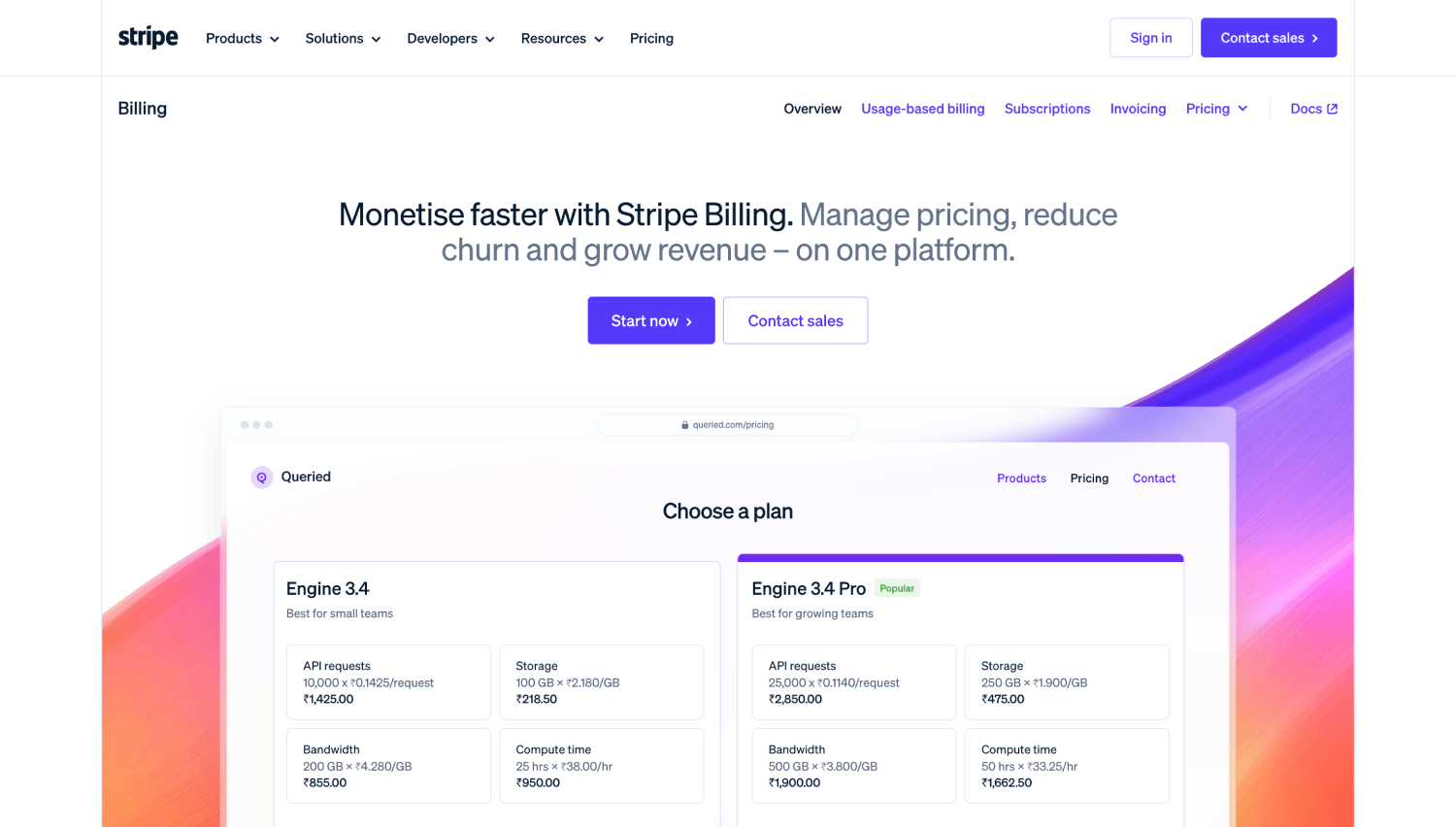
Stripe Billing is an API-first subscription management layer built directly into the Stripe platform. It handles recurring charges, invoicing, proration, trial periods, and dunning through Stripe’s infrastructure. Because it shares an event model, webhook system, and dashboard with Stripe Payments, the integration surface for engineering is minimal if Stripe is already in the stack.
Stripe Billing supports flat-rate, per-seat, and metered usage billing models. According to Stripe’s public pricing page, Stripe Billing charges 0.7% of Billing volume on its pay-as-you-go offering. There is also a custom enterprise tier where pricing is negotiated directly.
Where Stripe Billing Holds Up
Self-serve SaaS with card-on-file billing is where Stripe Billing performs cleanest. A customer signs up, enters a card, and Stripe handles the rest: charge, receipt, renewal, failed payment retry, and cancellation. Engineers can build this in days using Stripe’s SDK. The dashboard gives finance teams enough visibility to manage a product-led growth motion without needing a separate billing operations tool.
Stripe’s revenue recovery features are genuinely strong. Smart retries use Stripe’s network data to time failed payment retries at moments when a card is most likely to succeed. For PLG SaaS teams, this measurably reduces involuntary churn without requiring a separate dunning tool. Our roundup of the best dunning tools for SaaS payments covers how Stripe’s built-in recovery stacks up against dedicated platforms.
Where Stripe Billing Falls Short
Stripe Billing does not have a native quote-to-cash workflow. There is no quote object, no approval flow, and no way to attach a signed order form to an invoice natively. Sales teams at Series A and Series B companies typically end up in a messy combination of Stripe, Google Docs, and manual invoice adjustments. That gap does not matter at $500K ARR. At $3M ARR with an inside sales team, it shows up in every month-end close.
Multi-gateway routing is another hard limit. Stripe Billing only routes payments through Stripe. If your business needs to offer local payment methods in regions where Stripe’s coverage is weaker, or if you want redundancy across payment processors for uptime or interchange optimization, Stripe Billing cannot do that natively. You would need a separate payment orchestration layer sitting in front of Stripe, which adds architectural complexity without Stripe’s billing logic being aware of it.
How Does Chargebee Work Differently?
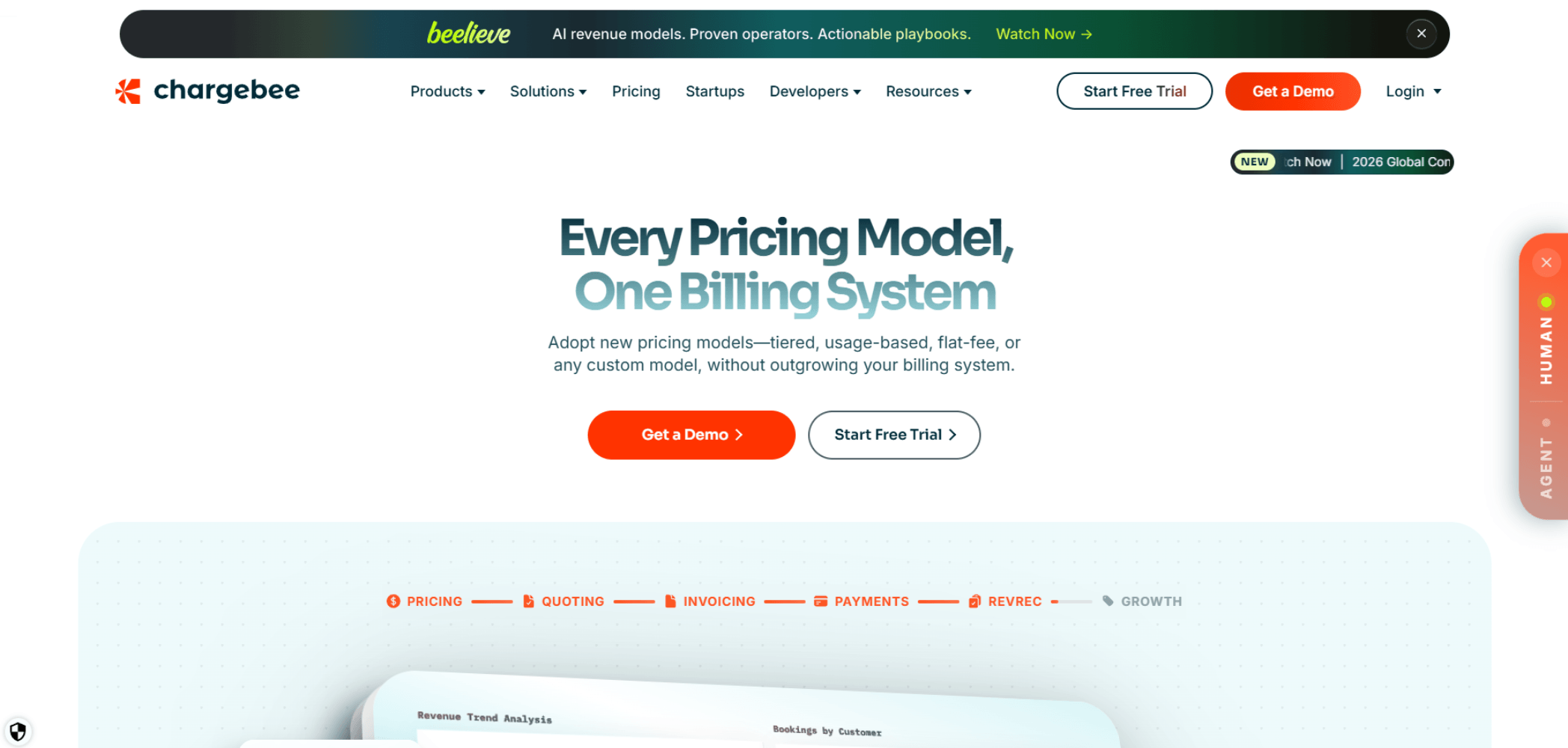
Chargebee is a subscription management platform built for teams that want billing logic to live outside the payment processor. It connects to multiple payment gateways, Stripe included, and adds a layer of contract management, revenue recognition, and reporting on top. The product is built around the assumption that your billing rules will get complicated and that someone outside of engineering needs to control them.
The Chargebee-Stripe integration is one of its most common deployment patterns. Chargebee handles subscription state, invoicing, proration, and dunning logic while Stripe handles the actual charge execution and card vaulting. This means you can use Chargebee’s more sophisticated billing rules without abandoning Stripe’s payment infrastructure or card-on-file tokens.
The Quote-to-Cash Workflow Chargebee Covers
Chargebee has native quote objects, approval workflows, and the ability to attach custom pricing and terms to individual customers. A sales rep can build a quote inside Chargebee, send it to a prospect, get it signed, and have the resulting subscription automatically provisioned with the right pricing, billing dates, and invoice schedule. That workflow, from CRM deal to active subscription, runs without engineering involvement after the initial setup.
For sales-led SaaS teams, this matters because contract exceptions are the norm, not the edge case. A customer might want quarterly billing on an annual contract. Another might have a contractual cap on price increases. Another might require purchase order numbers on every invoice. Stripe Billing handles these only through custom API logic. Chargebee handles them through configuration.
Revenue Recognition in Chargebee
Chargebee includes RevRec, a revenue recognition module that maps subscription billing events to deferred revenue schedules. For teams preparing for a Series B or an audit, having ASC 606-aligned revenue schedules generated automatically from billing data removes a significant amount of manual spreadsheet work. Stripe does offer Stripe Revenue Recognition, but it is priced separately and covers simpler scenarios; complex multi-element arrangements still require additional tooling or manual adjustments.
Chargebee vs Stripe Billing: Pricing Compared
Pricing structure is where the comparison gets concrete. According to Stripe’s public pricing page, Stripe Billing charges 0.7% of Billing volume on its pay-as-you-go offering. Chargebee charges a flat monthly fee based on plan tier, with additional charges for high-volume usage above a threshold. According to Chargebee’s public pricing page, the entry-level Launch plan is listed at $0, described as free, with usage-based overages that apply as billing volume scales. The pricing page notes a “$66K breakeven” reference point and shows “$0 + 0.80%” at $500K monthly invoicing volume, though the page does not specify a simple dollar-amount free tier cap. Rise and Scale plan pricing is not publicly listed and requires contacting Chargebee directly.
| Factor | Stripe Billing | Chargebee |
|---|---|---|
| Pricing model | % of Billing volume | Flat monthly fee by plan tier (Launch plan is free with usage overages) |
| Entry tier | 0.7% of Billing volume (pay-as-you-go) | Launch plan: $0 base; usage-based overages apply at scale |
| Higher tiers | Custom enterprise pricing (negotiated) | Rise and Scale plans: pricing not publicly listed; contact Chargebee |
| Revenue recognition | Separate product (Stripe RevRec) | Included in higher tiers (Chargebee RevRec) |
| Multi-gateway support | Stripe only | Stripe, Braintree, Adyen, and others |
| Quote-to-cash | Not native; requires custom build | Native quote objects and approval flows |
| Setup complexity | Low (API-first, SDK-driven) | Moderate (configuration-heavy, broader scope) |
At low MRR, the percentage model often costs less in absolute terms. At $50K MRR, Stripe Billing at 0.7% costs $350 per month. Chargebee’s paid tiers above the Launch plan are not publicly priced, so direct cost comparison at higher volumes requires getting a quote from Chargebee. Many teams find that Chargebee’s included features , revenue recognition, multi-gateway routing, quote workflows , replace tools they would otherwise buy separately on top of Stripe Billing, which affects the true cost comparison.
These figures are drawn from each company’s public pricing pages. Both Stripe and Chargebee offer custom pricing for high-volume customers, so actual costs at scale are negotiated rather than published. For context on how billing tool costs fit into overall SaaS infrastructure spend, see our breakdown of hidden costs that compress fintech SaaS margins.
The FintechSpecs Billing Motion Test: Which Platform Fits Your Revenue Model
The standard advice for choosing between Chargebee and Stripe Billing is to consider company size or ARR. That framing is wrong. The actual deciding variable is your billing motion, specifically the combination of how customers buy and how their contracts are structured.
The FintechSpecs Billing Motion Test maps four dimensions to determine which platform fits. Run your company against each one:
- Sales assistance: Do customers buy without speaking to a human (PLG), or does a sales rep close the deal (SLG)? PLG favors Stripe Billing. SLG favors Chargebee.
- Contract variability: Are your pricing and terms standardized across all customers, or do individual accounts have negotiated rates, payment schedules, or custom line items? Standardized contracts favor Stripe Billing. Variable contracts favor Chargebee.
- Gateway dependency: Is Stripe your permanent, exclusive payment processor, or do you need redundancy, local payment method coverage, or multi-processor routing? Exclusive Stripe use favors Stripe Billing. Multi-gateway needs require Chargebee or a similar orchestration layer.
- Finance operations ownership: Does billing logic live in code controlled by engineering, or does your finance or RevOps team need to change pricing, issue credits, or configure subscription rules without a developer? Engineering control favors Stripe Billing. Finance team control favors Chargebee.
A company that scores SLG, variable, multi-gateway, and finance-controlled on all four dimensions should be on Chargebee. A company that scores PLG, standardized, Stripe-exclusive, and engineering-controlled on all four should stay with Stripe Billing. Mixed scores are common, and they indicate where your next growth stage will create friction.
Which B2B SaaS Stage Does Each Platform Fit?
Early-stage teams almost always start on Stripe Billing because setup speed matters more than feature depth. Stripe’s documentation is thorough, the SDK is well-maintained, and the time from zero to recurring charges is measured in days rather than weeks. For a seed-stage team with one pricing tier and self-serve signup, Stripe Billing is the right call and there is no reason to complicate it.
The shift happens between Series A and Series B, when enterprise sales motion begins. This is where Stripe Billing’s gaps show up as engineering tickets rather than product decisions. Sales closes a $60K annual contract with quarterly billing, a net-30 payment term, and a PO number requirement. Engineering has to build those features manually into Stripe’s API. The next deal has different terms. Engineering builds again. By the third or fourth contract exception, a dedicated billing platform starts looking cheaper than the sprint time it is consuming.
Chargebee is also not a permanent solution for every company. Teams pursuing deep usage-based pricing, where billing is metered at the event level with complex aggregation rules, often outgrow Chargebee’s metering capabilities and move toward dedicated usage billing platforms. Our coverage of Metronome vs Orb vs Lago for usage-based billing walks through that next tier of the decision. For additional context on how different billing models affect strategy, see our analysis of the best pricing models in fintech SaaS.
Does Running Chargebee on Top of Stripe Make Sense?
Yes, and it is one of the most common production configurations. Chargebee acts as the subscription intelligence layer, handling all billing state, invoice generation, proration calculations, dunning sequences, and revenue recognition. Stripe acts as the payment execution layer, handling tokenization, card network communication, and settlement. The two systems communicate through a native Chargebee-Stripe integration that synchronizes customer records, payment methods, and transaction status.
This architecture means you keep Stripe’s card vaulting and payment reliability while gaining Chargebee’s billing operations surface area. It also means two vendor relationships to manage, two sets of webhooks to monitor, and two platforms to troubleshoot when a payment event does not reconcile. For teams with a dedicated finance ops or RevOps function, the operational overhead is worth it. For a team of three engineers and a part-time CFO, it is probably not.
For teams evaluating whether their infrastructure choices are causing unnecessary complexity, our checklist on critical mistakes when choosing fintech infrastructure is worth reviewing before committing to a two-platform billing stack.
What About Stripe Billing vs Chargebee for Subscription Analytics?
Neither platform is the right primary source for SaaS metrics. Stripe Billing provides basic MRR reporting and churn calculations in its dashboard, but the numbers are billing-system definitions of those metrics, not always aligned with how your finance team or investors define them. Chargebee’s reporting is more configurable but still serves billing operations rather than investor-grade SaaS analytics.
Most teams at Series A and above connect their billing system, whether Stripe or Chargebee, to a dedicated subscription analytics tool. ChartMogul and Baremetrics are the two most common options at this stage. Our ChartMogul vs Baremetrics comparison covers how each handles MRR recognition, churn cohorts, and expansion revenue differently, which matters when Stripe Billing and Chargebee define subscription events in slightly different ways at the source.
Chargebee vs Stripe Billing: Side-by-Side Feature Matrix
| Feature | Stripe Billing | Chargebee |
|---|---|---|
| Flat-rate subscriptions | Yes | Yes |
| Per-seat billing | Yes | Yes |
| Metered/usage billing | Yes (basic) | Yes (moderate) |
| Quote creation and approval | No | Yes |
| Custom invoice fields (PO numbers, etc.) | Limited (via metadata) | Yes (native) |
| Multi-gateway payment routing | No | Yes |
| Dunning and failed payment recovery | Yes (smart retries) | Yes (configurable sequences) |
| Revenue recognition (ASC 606) | Separate paid add-on | Included in higher plans |
| CRM integrations (Salesforce, HubSpot) | Limited, via third-party connectors | Native integrations available |
| Self-serve portal for customers | Stripe Customer Portal | Chargebee Self-Serve Portal |
| Finance team configurability | Low (requires engineering) | High (no-code config available) |
| API-first developer experience | Excellent | Good |
Frequently Asked Questions
Can Chargebee replace Stripe entirely?
Chargebee can replace Stripe Billing but not Stripe Payments. Chargebee manages subscriptions, invoicing, and revenue logic. For actual payment execution, it connects to a payment gateway of your choosing, which can be Stripe, Braintree, Adyen, or others. If you want to move away from Stripe’s payment processing as well, Chargebee makes that possible by abstracting the gateway relationship away from your billing logic.
Is Stripe Billing cheaper than Chargebee?
At low billing volumes, Stripe Billing’s percentage fee is often cheaper in absolute dollar terms than Chargebee’s paid tiers. According to Chargebee’s public pricing page, the Launch plan is listed at $0 with usage-based overages that apply as billing volume grows. The page references a “$66K breakeven” point and shows “$0 + 0.80%” at $500K monthly invoicing volume, but does not state a simple free-tier dollar cap. Rise and Scale plan pricing is not publicly disclosed. Past the free tier, the comparison depends on your specific plan, billing volume, and which Chargebee features you are using. Revenue recognition and multi-gateway routing included in Chargebee can offset the cost of separate tools you would otherwise buy on top of Stripe Billing.
Does Chargebee integrate with Stripe?
Yes. Chargebee has a documented native integration with Stripe that allows Chargebee to handle subscription state and invoice generation while Stripe handles payment tokenization and charge execution. Customer payment methods stored in Stripe can be used through Chargebee without re-capturing card details. This integration is one of Chargebee’s most common deployment patterns in B2B SaaS.
Which billing platform is better for enterprise SaaS contracts?
Chargebee is better for enterprise contract billing. It supports native quote objects, custom payment terms, PO number fields, approval workflows, and multi-year subscription schedules. Stripe Billing can handle enterprise billing technically, but every non-standard contract requirement has to be built as custom logic in Stripe’s API. At scale, that engineering debt becomes a real operational cost.
Does Stripe Billing support revenue recognition?
Stripe offers Stripe Revenue Recognition as a separate product, priced and contracted independently from Stripe Billing. It handles deferred revenue schedules for standard subscription scenarios. Complex multi-element arrangements or non-standard contract structures typically still require supplemental tooling or manual reconciliation. Chargebee’s RevRec module is included in higher-tier plans and covers a broader range of scenarios natively.
What happens to billing if I switch payment gateways away from Stripe?
If you use Stripe Billing, switching payment processors is a significant migration. Your subscription state, billing schedules, and customer payment methods all live inside Stripe’s system. Moving them to a new processor requires re-capturing card details or using account updater services, migrating subscription objects, and rebuilding any custom billing logic. With Chargebee, switching gateways is a configuration change because Chargebee owns the subscription state independently of the payment processor.
How does Chargebee handle dunning compared to Stripe Billing?
Both platforms retry failed payments automatically. Stripe Billing uses a machine-learning model called Smart Retries that schedules retries based on network signals about when a card is likely to succeed. Chargebee allows finance or RevOps teams to configure dunning sequences manually, including retry timing, email notifications, and subscription suspension rules. Stripe’s approach is more automated; Chargebee’s gives more operational control. For teams with a finance team actively managing collections, Chargebee’s configurability usually wins.
The Decision That Sticks
Stripe Billing and Chargebee are not competing for the same buyer at the same moment. Stripe Billing is the right starting point for almost every PLG SaaS company, and many of them will never need to leave it. The product is fast to implement, well-documented, and deeply integrated with the rest of the Stripe stack. If your pricing is straightforward and your customers buy without talking to a human, Stripe Billing is not a compromise. It is the correct tool.
Chargebee earns its place when the gap between what sales closes and what engineering can build in Stripe becomes a recurring problem. That gap is not theoretical. It shows up as sprint tickets for contract exceptions, as manual invoice adjustments before month-end, and as revenue recognition spreadsheets that take a week to reconcile before a board meeting. Chargebee exists to make those operational burdens configurable rather than custom-built.
The right migration trigger is not a specific ARR number. It is the moment when your billing system starts generating more support work for engineering than business value. If your RevOps team can describe the billing edge cases faster than engineering can build them, you have already crossed it. If that has not happened yet, stay where you are and spend the saved implementation time on something that actually moves revenue.